Pokepix Color By Number
August MartinArt & Design
4.622.98K Reviews
- Version
- 1.9.4
- Installs
- 1.00M
- Age Rating
- Everyone
Screenshots
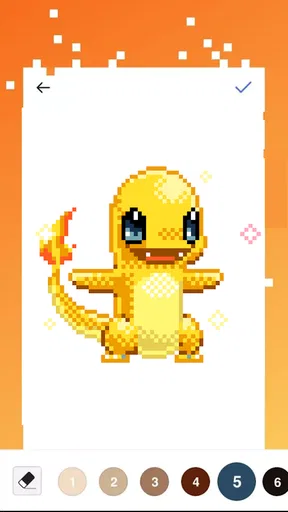
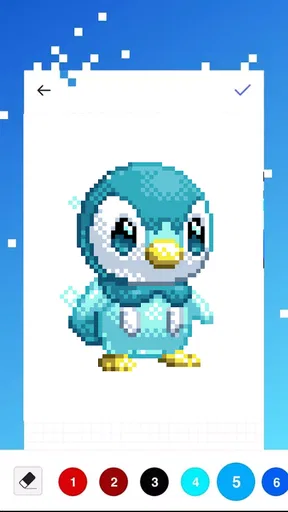

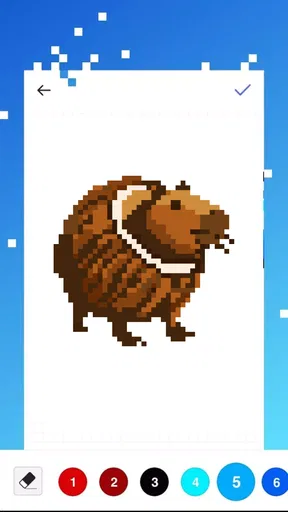
Our Review of Pokepix Color By Number
 Analysis by Appyee
I approached Pokepix Color By Number as a small, focused art app rather than a serious drawing tool, and that distinction matters. Its appeal is the simple act of filling numbered areas until a picture comes together. There is no pressure to invent a composition, learn brush technique, or make every decision from scratch. I choose an image, match colors to numbers, and settle into a repetitive rhythm that can be surprisingly calming after a busy day.
Developed by August Martin, this free Art & Design app is aimed at anyone who enjoys guided coloring on a phone or tablet. It is rated for Everyone, runs on devices using Android 6.0 or later, and the current version is 1.9.4. The app has reached over a million installs, with a 4.6 average from around 132 thousand ratings and roughly 23 thousand written reviews. Those figures suggest that the basic idea has found a large audience, but they do not tell you whether the style of coloring suits your patience. After spending time with it, I would describe it as best for short, low-effort sessions rather than as a replacement for a full digital illustration program.
How the basic coloring routine feels in daily use
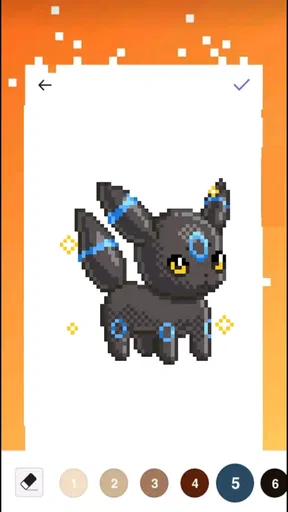
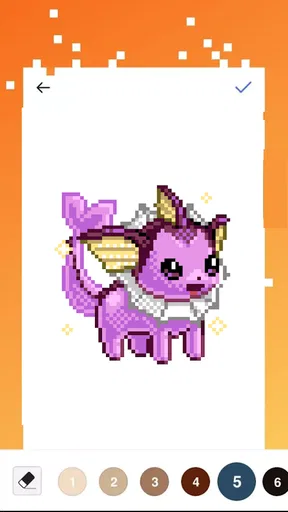
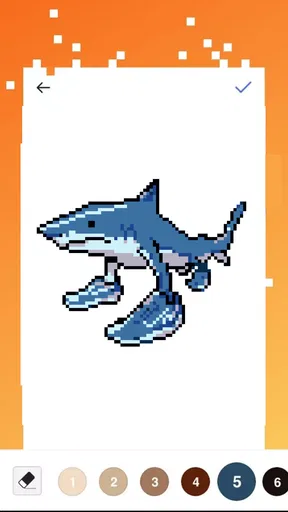
The normal workflow is easy to understand. I select a pixel-style picture, look for an uncolored region, choose the matching number or color, and tap the relevant areas. The image gradually changes from a collection of small outlined sections into a finished design. That visible progress is the main reward, and it gives the app a useful sense of direction when I want something relaxing but do not want to decide what to draw.
A realistic example is a short evening break. If I have ten minutes before bed, I can open a picture, complete a handful of areas, and stop without leaving a complicated project half-finished. The task is structured enough to hold my attention, yet simple enough that I do not need to remember a technique from the previous session. For me, that makes it more convenient than opening a blank canvas and wondering what to create.
The pixel-art presentation also changes the experience compared with ordinary coloring books. Small blocks and numbered sections make the work feel closer to assembling an image than shading a traditional illustration. That can be satisfying when I want a clear target, especially because each completed area makes the remaining gaps easier to notice. On the other hand, users who prefer soft gradients, expressive brush strokes, or realistic coloring may find this visual language too rigid.
I recommend beginning with a picture that has comfortably visible sections rather than immediately choosing the most intricate design. Larger areas help you learn the touch response and the way the color selection works. Once the routine feels natural, detailed images become more interesting because the challenge comes from locating small spaces rather than understanding the controls.
What makes the routine relaxing
The strongest part of the app is its limited decision-making. I am not choosing a palette, correcting anatomy, or trying to produce something impressive. The numbered structure narrows the task to recognition and tapping. That is why the app works well as a wind-down activity: it occupies my hands and eyes without demanding the same concentration as reading, drawing, or playing a fast game.
There is still a small feeling of accomplishment in finishing an image. The picture provides a clear endpoint, which is more motivating than an open-ended sketch that can remain unfinished forever. I also find the repetitive nature useful during moments when I want to step away from social feeds. It is not automatically relaxing for everyone, though. If tiny areas make you impatient or if you dislike repeating the same action, the exact quality that helps me unwind may become irritating.
One practical habit improves the experience: I treat each session as a short visual break instead of a task that must be completed immediately. Trying to finish a highly detailed image in one sitting can turn a calming activity into a chore. Stopping after a natural cluster of colors keeps the app pleasant and makes it easier to return later.
Settings and device habits worth checking
Because this is a touch-based coloring app, the first thing I check is whether the display gives me enough room to see small numbered sections comfortably. A larger phone or tablet is more forgiving than a compact screen, particularly on detailed pixel pictures. I also keep the device brightness at a level that makes faint outlines visible without making the screen tiring to look at.
The app itself is free to download, but it includes in-app purchases ranging from $1.99 to $99.99 per item. That range is important when deciding how casually to use it. I would start with the free experience and only consider spending if the available content and the way purchases are presented fit my habits. Anyone sharing a device with children should also pay attention to purchase controls at the device level, since the Everyone age rating makes the app accessible to a broad audience.
I do not treat the version number as a reason to expect a particular workflow. The current release is 1.9.4, but the useful question is whether the app behaves comfortably on your own device. Android compatibility begins at version 6.0, so older supported phones may offer a less comfortable canvas than newer hardware. Before committing to long sessions, I would test a picture with small sections and see whether tapping, zooming, and moving around feel manageable.
A simple setup habit is to use headphones only if you personally enjoy the surrounding phone environment; the coloring itself does not require the kind of audio focus that a rhythm game or guided meditation might. I also avoid opening it when I am trying to multitask. The best results come when I give the image a few uninterrupted minutes, because frequent app switching makes the numbered pattern harder to follow.
Faster patterns that reduce unnecessary searching
The most useful speed improvement is to work systematically instead of hunting randomly. I usually scan one section of the image, complete the visible areas for the current number, and then move to the next number. This reduces the repeated back-and-forth that happens when I tap a single area, change colors, and immediately search the whole picture again.
Another effective approach is to start with colors that appear in larger blocks. Completing those sections quickly reveals the image and removes visual clutter. After that, I move toward smaller details. This is not about rushing; it is about using the picture’s changing structure to make the remaining work easier to read.
For dense images, I divide the picture into informal zones: top, middle, and bottom, or left and right. I finish one zone before moving on. That habit is especially useful on a phone because constantly dragging the view can make me lose track of which areas I have already checked. It also creates natural stopping points if I only have a few minutes.
I find it helpful to pause after completing a difficult cluster rather than repeatedly tapping the same tiny area in frustration. A brief change of grip or viewing angle often makes the outline easier to see. The app is designed around simple taps, but comfort still depends on how carefully I use the screen. A stylus may help some people with precision, while others will prefer a fingertip because it is faster and requires no extra accessory.
There is also a useful trade-off between accuracy and speed. Tapping quickly can feel efficient on broad sections, but small pixel areas reward deliberate placement. I tend to move quickly only when the target is obvious and slow down when the image contains several neighboring regions. That mixed pace is more reliable than using the same tapping speed everywhere.
Where it differs from ordinary coloring and drawing apps
Compared with a blank digital canvas, Pokepix Color By Number removes almost all creative setup. A drawing app gives me brushes, layers, colors, and freedom, but it also asks me to supply the idea and accept the possibility of a disappointing result. Here, the picture is already planned. I trade artistic control for a predictable, guided activity.
Compared with a traditional coloring-book app, the pixel approach feels more segmented and game-like. I am not choosing how to blend a large shape or deciding whether to shade outside the lines. The numbered blocks create a more mechanical rhythm. That is a strength for users who want clear instructions and a weakness for anyone who sees coloring as a form of personal expression.
It also differs from a painting simulator because there is no reason to expect brush experimentation or freehand improvement. I would choose this app when my priority is relaxation through completion. I would choose a more flexible art app when I want to practice composition, test color combinations, or save a piece that reflects my own decisions.
The comparison is not simply about quality. Each category solves a different problem. This one is better when I want a low-friction activity with an obvious next step. The usual alternatives are better when I want originality, technical practice, or control over every visual detail.
Limits that become clearer with regular use
The same repetition that makes the app approachable can eventually feel narrow. Once I understand the coloring loop, there is little learning curve left. My progress is measured by completed pictures rather than by developing a drawing skill. That makes it a poor choice for someone hoping to become better at illustration or digital painting.
Small numbered spaces can also test patience. On a compact screen, detailed sections may require more careful tapping and more frequent repositioning. If your eyesight or hand control makes tiny targets uncomfortable, a tablet-sized display may be preferable, but the app cannot turn a precise task into a completely effortless one.
The purchase structure deserves a realistic look as well. Since the app is free with individual in-app items priced from $1.99 to $99.99, I would not assume that every desirable option belongs to the no-cost portion. I prefer to explore the free material first and decide whether the overall experience justifies spending. Users who dislike optional purchases in relaxation apps may be happier with a paid coloring product that has a clearer upfront model.
There is also a question of longevity. I can return to the activity whenever I want, but the basic interaction remains the same. If I need constant novelty, competitive goals, or a strong sense of progression, this may lose its appeal sooner than a conventional game. Its value comes from the moment-to-moment routine, not from a deep system that keeps unfolding.
Who will get the most from it
I would recommend it to people who enjoy pixel art, guided creative activities, and quiet phone routines. It suits a commuter waiting for an appointment, a student taking a screen break, or anyone who wants a simple evening activity without the pressure of producing original artwork. The Everyone rating also makes it approachable for a broad household audience, although adults should still manage purchases when children use the device.
It is particularly useful for people who struggle to start creative hobbies because a blank page feels intimidating. The numbered image supplies the first step, the next step, and eventually the finish line. That structure can make a difference when the goal is not artistic growth but a few minutes of focused calm.
I would skip it if you want a professional sketching environment, advanced color control, or a way to display personal artistic decisions. I would also look elsewhere if repetitive tapping feels more like work than relaxation. A conventional drawing app, a traditional coloring application, or even a physical coloring book may be a better match depending on whether you value freedom, tactile materials, or more varied techniques.
My way of getting the best experience
I start with a moderately simple image, use a zone-by-zone scan, and stop at a natural break instead of forcing completion. I keep the screen comfortable, slow down for tiny regions, and avoid judging the result as if I had drawn it myself. That mindset is important: the satisfaction comes from following through on a small visual task, not from proving artistic ability.
For a repeatable routine, I would reserve the app for moments when I need a controlled break. Opening it automatically every time I am bored can make the activity feel stale, while using it intentionally preserves its relaxing quality. I also prefer to finish one image before starting another, because switching between several unfinished pictures creates more searching and weakens the sense of completion.
After trying the different approaches, my conclusion is straightforward. Pokepix Color By Number is strongest as a guided pixel-art relaxation app, not as a full creative studio. Its free entry point, accessible age rating, broad Android compatibility, and simple workflow make it easy to try. The 4.6 average and large user base reinforce that it has broad appeal, but the real decision depends on whether you enjoy repetitive, goal-directed coloring.
I would recommend downloading it if you want a calm activity with clear visual progress and minimal learning. I would not recommend paying quickly or expecting deep artistic tools. Give the free experience enough time to see whether the numbered routine relaxes you, use a comfortable screen, and judge it by the quality of the break it gives you. For me, that is where the app succeeds: it turns a few spare minutes into a small, manageable creative ritual.
Verdict
Strengths of Pokepix Color By Number
- Relaxing color-by-number gameplay suitable for short sessions.
- Large selection of Pokémon-inspired pixel art to complete.
- Simple controls make it accessible for younger players.
- Color palettes help guide users through each image.
- Completed artwork can be saved and shared with others.
Limitations of Pokepix Color By Number
- Some pictures or features may require watching ads or making purchases.
- Frequent ads can interrupt the coloring experience.
- Small pixel areas may be difficult to tap accurately on phones.
- Limited creative freedom compared with freehand coloring apps.
- Requires patience when completing highly detailed artwork.
Similar Picks in This Category
View All
Canva: AI Photo & Video Editor
Canva4.8

PENUP – Drawing-sharing SNS
Samsung Electronics Co., Ltd.4.5

Crafto
Kutumb App4.6

Sketchbook
Sketchbook4.1

ibis Paint X
ibis inc.4.5

Adobe Express: AI Photo, Video
Adobe4.6
Frequently Asked Questions
What is Pokepix Color By Number?
Pokepix Color By Number is a pixel-art coloring game inspired by recognizable monster-collecting themes. It provides numbered grids that you complete by selecting the matching colors, gradually revealing a finished character or scene. The gameplay is simple and relaxing, making it suitable for short sessions, although the overall experience focuses more on casual coloring than on battles, exploration, or traditional role-playing mechanics.
How does the coloring system work?
Each picture is divided into small pixel sections marked with numbers. You choose a color from the palette and tap the corresponding areas to fill them in. The app generally guides you toward the correct spaces, which makes the process accessible even for beginners. Larger or more detailed images can take time to complete, so patience and careful tapping are useful when working on small sections.
Is Pokepix Color By Number free to download and play?
Pokepix Color By Number can typically be downloaded without an upfront purchase, but the available free content may be supported by advertisements, optional purchases, or other in-app limitations depending on the version and platform. Before installing, check the current store listing for pricing, advertising information, and purchase details. Availability of particular pictures or features may also change through updates.
Does the app require an internet connection?
Some parts of Pokepix Color By Number may work offline after the necessary content has been loaded, which is convenient for coloring while traveling or when mobile data is unavailable. However, advertisements, new picture downloads, synchronization, or certain online features may require an internet connection. Because requirements can vary between releases, it is best to test offline access after installation rather than assuming every feature will work without connectivity.
Is Pokepix Color By Number safe and suitable for children?
The basic coloring concept is generally easy for children to understand, but parents should review the app’s age rating, advertising behavior, permissions, and in-app purchase settings before allowing independent use. The game may include promotional content or optional purchases, and the exact policies can change with updates. Using parental controls and disabling unauthorized purchases is recommended for younger players, especially on shared devices.
